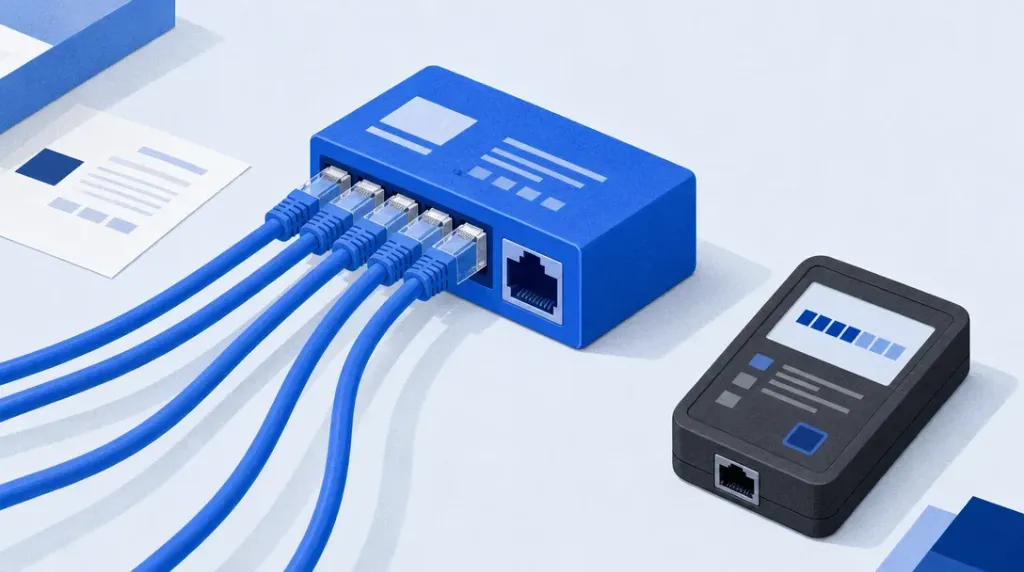
Balance protocol versatility against your operational budget when choosing between dedicated infrastructure and shared SOCKS5 proxies. Use shared SOCKS5 access to handle any traffic type, including UDP for VoIP and streaming, at a fraction of the cost of private lines. This cost reduction is achieved by multiplexing multiple client streams across a single IP address. This makes high-volume data workflows accessible to freelancers and small agencies that would otherwise be priced out of professional-grade proxy networks.
Evaluate the specific trade-offs involved in using shared pools during the 2026 fiscal year. Verify authentic UDP support to avoid rebranded HTTP wrappers, identify when the “bad neighbor” effect necessitates a move to cleaner IPs, and calculate the true cost of latency in shared environments. Follow the technical verification steps provided to secure a high-performance automation rig while maintaining the granular control over session persistence and rotation required for modern web scraping and account management.
- High-Volume Data Harvesting: Shared SOCKS5 proxies are ideal for large-scale scraping where IP rotation frequency matters far more than individual IP reputation.
- Account Isolation: Avoid shared pools for high-stakes account management (such as Nike, Shopify, or financial platforms) due to the ‘bad neighbor’ effect on IP trust scores.
- User Density Verification: Verify provider transparency regarding concurrent client density per IP before committing to an annual or enterprise plan.
- True Protocol Support: Prioritize providers offering genuine UDP transport within their SOCKS5 handshake to ensure full compatibility with modern streaming, VoIP, and gaming protocols.
📑 Table of Contents
- 1. Shared SOCKS5 Proxies: Cost Reductions & Multiplexing
- 2. Authentic UDP Support vs Basic HTTP Wrappers
- 3. The ‘Bad Neighbor’ Effect & IP Reputation Liabilities
- 4. Calculating the True Cost of Latency & Jitter
- 5. Evaluating Provider Transparency & Pool Refresh Rates
- 6. Securing Workflows: SOCKS5 vs Legacy HTTP Proxies
- 7. Frequently Asked Questions (FAQ)
- 8. Selecting Your Scalable Proxy Strategy
Shared SOCKS5 proxies trade exclusive access for massive cost reductions in high-volume data workflows
Shared SOCKS5 proxies are IP addresses allocated to multiple users at once. Unlike dedicated lines where a single user owns the bandwidth and reputation of an IP, shared pools allow providers to split the operational costs of maintaining a server across a broad client base. For users looking to buy shared SOCKS5, the primary advantage is the protocol’s inherent flexibility. It operates at a lower level than HTTP proxies, which allows it to handle any traffic type, such as TCP and various application-level protocols. This avoids the protocol-specific limitations that often break specialized data scrapers or custom software.
Providers achieve these price points through traffic multiplexing. By routing concurrent streams from different accounts through the same IP address, the provider maximizes the utility of their hardware and network infrastructure. While this introduces the possibility of the “noisy neighbor” effect, where one user’s heavy traffic might impact another, modern load balancing ensures that most high-volume data workflows remain stable. This architecture significantly lowers the barrier to entry, as the infrastructure costs are subsidized by the collective usage of the group.
For freelancers and small agencies managing tight margins, this model provides access to massive IP pools that would otherwise be cost-prohibitive. Choosing a shared model is a tactical decision to prioritize volume and protocol versatility over absolute exclusivity. Users who require a “clean” reputation for sensitive account management or high-stakes social media automation may still prefer Dedicated Static IP Proxies in 2026 – 5-Proxy.com, but for general web scraping, market research, or large-scale data aggregation, the shared SOCKS5 model is the standard for cost-efficiency.
When selecting a plan, users should evaluate the ratio of users per IP and the total bandwidth allowance included in the package. Many providers offer tiered pricing based on the number of concurrent connections or the total data transferred. Because subscription terms and feature sets frequently shift, buyers must verify specific plan details and bandwidth limits on the vendor’s current pricing page before committing to a contract. This ensures the chosen shared SOCKS5 pool aligns with the technical requirements and the expected data load of the intended workflow.
UDP support separates professional shared SOCKS5 providers from basic HTTP wrappers
Verify UDP support before committing to a long-term contract with any shared SOCKS5 provider. While standard HTTP proxies are limited to TCP traffic, a true SOCKS5 implementation handles both TCP and UDP packets. This technical capability is essential for modern professional workflows involving Voice over IP (VoIP), live video streaming, and real-time data synchronization. Without UDP support, the packets used in low-latency communication are dropped. This results in broken audio, frozen video frames, and disconnected sessions in gaming or high-frequency trading environments that SOCKS5 is specifically designed to facilitate.
Distinguish between genuine SOCKS5 services and wrappers that operate as HTTP proxies. Many low-cost vendors advertise SOCKS5 compatibility but only support TCP connections. These services are HTTP proxies rebranded to capture search traffic from buyers looking for more versatile tools. These wrappers fail when an application attempts a SOCKS UDP associate request, causing the connection to time out or default to an unencrypted, non-proxied state. Professionals must ensure the backend infrastructure is built for the full SOCKS5 protocol rather than merely being an entry port for an older, more restrictive HTTP system.
Conduct a protocol header test to confirm the service quality of a shared pool. Use network testing tools to send UDP datagrams through the proxy and verify they reach the destination while maintaining the proxy’s IP address. If the provider claims to offer SOCKS5 but the UDP packets fail to pass through or are converted to TCP, the service is technically an HTTP/HTTPS proxy. This distinction is critical, as more automated systems and communication platforms rely on the flexibility of the SOCKS5 handshake to bypass restrictive firewalls without losing the inherent speed benefits of UDP traffic.
Selecting a provider that guarantees full protocol support prevents the need for costly troubleshooting later in the project lifecycle. For users who require the highest level of protocol fidelity alongside mobile-specific network signatures, checking the Best USA 4G/5G Mobile Proxies & VPN Services (2026) provides a benchmark for how professional-grade UDP handling should function. Always verify specific plan features and protocol availability on the vendor’s current pricing page, as protocol support tiers and bandwidth limits vary based on network load and infrastructure updates.
The ‘Bad Neighbor’ effect dictates when shared pools become a liability
Shared SOCKS5 proxies function by routing traffic from multiple independent users through a single IP address. This economy of scale provides significant cost advantages, but it creates a critical dependency on the behavior of others within the same pool. When a proxy provider allows high user density without rigorous traffic monitoring, a single “bad neighbor” engaging in aggressive scraping, bulk account creation, or automated spamming can compromise the IP for everyone. Because the destination server perceives all incoming requests as originating from one source, it applies reputation penalties and rate limits to the IP itself, rather than the specific user responsible for the abuse.

Users should identify the specific diagnostic signals that indicate a shared pool has become a liability. Frequent CAPTCHA challenges during standard search queries on Google or “403 Forbidden” errors on major social media platforms are the primary symptoms of a degraded IP reputation. If these interruptions occur immediately upon connection or persist across different target domains, the user has likely fallen victim to an over-saturated pool where previous or concurrent tenants have triggered security triggers. In these scenarios, the technical friction and time lost to solving challenges often outweigh the initial financial savings of the shared proxy plan.
To maintain operational efficiency, a transition to dedicated or residential resources is necessary when the target site employs sophisticated behavioral analysis or strict IP blacklists. While shared SOCKS5 proxies remain effective for general web browsing and lightweight data retrieval from low-security targets, they are fundamentally unsuitable for high-stakes tasks like managing established social accounts or verifying ad placements. Professionals who encounter persistent blocks should evaluate the Best Residential Proxies in 2026 to secure cleaner IP histories and lower user density. Before committing to a new provider, confirm the specific subnet diversity and rotation intervals on the vendor’s current pricing page, as these specifications frequently change.
The decision to buy shared SOCKS5 proxies must be guided by the security posture of the destination website. Sites with minimal bot detection or those that do not track IP reputation over long durations are the ideal use cases for shared traffic. However, if the project involves accessing major tech ecosystems, financial portals, or e-commerce platforms with active anti-fraud departments, the “bad neighbor” effect makes shared pools a high-risk choice. The maturity of automated filtering means that even a few minutes of proximity to an aggressive script can result in a session-terminating block for all users on that IP.
| Use Case | Shared SOCKS5 Suitability | Primary Risk Factor |
|---|---|---|
| General Web Browsing | High | Minimal risk of site-wide blacklisting |
| Public Data Scraping | Moderate | IP-based rate limiting from high request volume |
| Social Media Management | Low | Account flagging caused by shared IP history |
| Ad Verification | Low | Distorted data from blacklisted or flagged IPs |
| High-Volume Automation | Moderate | Rapid IP exhaustion and frequent 403 errors |
Calculate the true cost of latency in shared environments
Evaluate shared SOCKS5 proxies by looking beyond the monthly subscription fee. While the entry price is lower than private alternatives, the true cost manifests in the time lost to latency and jitter. In a shared environment, multiple users draw from the same bandwidth pool, which leads to unpredictable fluctuations in response times. These spikes can disrupt the timing of automated scripts, resulting in timeouts that require manual intervention or expensive retries that consume additional resources.
Focus on jitter to maintain stability in shared proxy networks. Unlike a steady delay, jitter represents the variance in latency between packets. Automation rigs often rely on precise execution windows. When a neighboring user on the same IP initiates a high-bandwidth task, the resulting packet congestion causes inconsistent delivery. This inconsistency often causes more failures than a high but stable latency would, as it triggers anti-bot measures that flag irregular connection patterns or fragmented data streams.
To quantify these risks, professionals should use command-line tools like cURL to measure Time to First Byte (TTFB) and total transfer time across several hundred requests. A simple script can pipe these results into a CSV to visualize the frequency and severity of latency spikes. Specialized proxy testers are also available to simulate real-world load and verify if the proxy maintains a stable connection under stress. For those integrating these proxies into advanced workflows, The Best AI Tools of 2026 offers additional context on managing high-performance automation environments.
Once the data is gathered, compare the success rate against the specific throughput requirements of the automation rig. If the shared environment produces a failure rate that necessitates frequent retries, the savings from the lower sticker price are likely being negated by increased compute costs and lost productivity. Users should verify current pricing and performance tiers on the vendor’s official page, as these metrics shift frequently based on server load and infrastructure updates.
Evaluate provider transparency through IP pool refresh rates
Prioritize vendors that explicitly state their rotation schedules and pool management policies when you buy shared SOCKS5 access. The quality of a shared service depends on the frequency and transparency of the provider’s IP pool refresh cycle. In these environments, multiple users use the same underlying infrastructure. This makes the health of the IP addresses vulnerable to the activity of others. If a provider allows an IP pool to stagnate, they risk widespread blacklisting, which immediately degrades the performance of every connected user.
Select “automatic rotation” as a core requirement rather than a secondary add-on. This feature ensures that the proxy gateway periodically assigns a new IP address to the connection without requiring manual intervention or script-based triggers. This capability is the standard for mitigating the “noisy neighbor” effect found in shared proxy usage. If a provider does not disclose how often their pool refreshes or if they rely solely on static shared IPs, the risk of connection failures due to previous users’ activities increases significantly.
Choose providers that offer granular control over session persistence versus rotation. Services such as MobileHop and IPFly allow users to define how long a specific IP address remains active before a refresh occurs. This level of control is essential for professionals who must balance the need for a stable session to complete a transaction with the need for fresh IPs to avoid detection. Check the current dashboard features on the vendor’s official site to confirm these specific control levels, as interface capabilities and API endpoints are subject to frequent updates.
Use transparency regarding refresh rates as a primary indicator of a provider’s infrastructure investment. A reputable service documents whether rotation happens at fixed intervals, upon every request, or through a user-defined trigger. When comparing shared SOCKS5 options, review the technical documentation for mentions of “cool-down periods” or “pool cycling” to ensure the provider actively purges flagged or exhausted addresses. Before finalizing a subscription, verify the specific rotation limits and session duration settings on the provider’s pricing page to ensure the service matches your intended workflow requirements.
Secure your workflow by choosing SOCKS5 over legacy HTTP proxies
Shift away from legacy HTTP proxies to protect data integrity across all applications, not just web browsers. While HTTP proxies interpret traffic and can potentially expose or modify headers, SOCKS5 serves as a transparent conduit. It handles any traffic, including TCP and UDP, without rewriting data packets. This prevents the accidental leakage of metadata that often occurs with older proxy standards. For a professional workflow, this architectural difference ensures that specialized software, mail clients, and custom scripts remain secure without protocol-specific vulnerabilities.

Prioritize SOCKS5 for its superior authentication capabilities. Unlike legacy HTTP proxies that often rely on basic, easily intercepted credentials or simple IP whitelisting, SOCKS5 supports more secure and multi-stage handshake methods. This provides a critical layer of defense when using shared resources. By requiring a full authentication exchange before a connection is established, SOCKS5 mitigates the risk of unauthorized access to the proxy tunnel. This is particularly vital when users buy shared SOCKS5, as it ensures that even within a shared environment, the individual user’s traffic remains isolated and protected from other tenants on the same server.
Evaluate the provider’s infrastructure before committing to a purchase. Security relies heavily on the underlying network type; for instance, residential or mobile backbones offer different footprints than data centers. For those requiring the highest levels of trust and security, understanding What Are Mobile Proxies and Why They Matter in 2026 – 5-Proxy.com provides the necessary context for choosing the right hardware layer. Always confirm the current encryption protocols and plan features supported by a provider on their official documentation page, as these standards are updated frequently to counter new threats.
Use a rigorous checklist before finalizing any transaction to buy shared SOCKS5. First, verify the provider’s logging policy to ensure they do not store traffic data or IP history. Second, check for support of modern encryption standards, such as SSH tunneling or SSL/TLS wrappers, to protect the data in transit between the client and the proxy server. Third, confirm that the provider offers automated rotation or IP replacement if a specific node is compromised. Finally, ensure the provider’s dashboard allows for granular control over authentication methods, such as rotating passwords or multi-factor IP binding, to maintain a secure and efficient professional workflow.
Frequently asked questions
Are shared SOCKS5 proxies safe for banking?
Avoid using shared SOCKS5 proxies for banking or any sensitive financial transactions. While the protocol supports authentication, the shared nature of the IP means you risk account flagging due to the “bad neighbor” effect. Banks often trigger immediate security blocks when they detect multiple unrelated users accessing different accounts from the same public proxy address.
What is the difference between a shared SOCKS5 and a dedicated proxy?
The primary difference is exclusivity; shared SOCKS5 proxies route traffic for multiple users simultaneously, while dedicated proxies are reserved for a single client. This makes shared options significantly cheaper for high-volume scraping, though they offer less control over IP reputation. Dedicated proxies provide a stable, isolated environment that eliminates performance fluctuations caused by other users’ bandwidth consumption.
Why is my shared SOCKS5 proxy slower than a datacenter IP?
Shared SOCKS5 proxies are often slower because you are competing for limited bandwidth with other active users on the same server. While a datacenter IP typically offers a fixed, high-speed pipe, a shared proxy’s throughput varies based on the total pool load at any given moment. Furthermore, the SOCKS5 protocol’s full-header processing adds slight overhead compared to the simpler routing of basic HTTP datacenter IPs.
Can I use shared SOCKS5 proxies for sneaker botting?
Do not use shared SOCKS5 proxies for competitive sneaker releases where speed and IP purity are critical. Most major retail platforms utilize advanced fingerprinting that identifies and blacklists shared proxy ranges almost instantly during high-traffic drops. For successful checkouts, you must use residential or ISP proxies to ensure your traffic appears as a legitimate, unique home user.
Selecting Your Scalable Proxy Strategy
Choosing whether to buy shared SOCKS5 proxies requires balancing extreme cost-efficiency against the specific technical demands of your software stack. Before committing your budget to a specific provider, execute this five-step evaluation to ensure the infrastructure matches your operational goals:
- Audit UDP requirements: Confirm if your target applications necessitate the full SOCKS5 protocol for real-time data streaming or non-HTTP traffic.
- Quantify latency tolerance: Determine the maximum millisecond delay your workflow can sustain before the cost of retries exceeds the savings of a shared pool.
- Verify pool rotation: Request the specific refresh intervals for shared IP addresses to ensure you are not inheriting blocked signatures from previous users.
- Assess authentication compatibility: Match the provider’s IP whitelisting or credential-based login methods with the capabilities of your existing automation tools.
- Analyze throughput limits: Evaluate if the provider imposes bandwidth throttling that could bottleneck your high-volume data retrieval tasks during peak periods.
Professional infrastructure ensures these variables remain manageable even at high scale. 5-Proxy provides high-performance shared SOCKS5 pools that deliver the technical reliability required for modern data workflows.